
QA walkthrough
Reproducible Address Test Data with Random Seeds
A fixed seed turns a random-looking dataset into a repeatable test fixture. Within the same tool version, the same seed, country, schema, mode, and row count produce the same records, so another tester can reproduce the failure without receiving customer data.
The short answer
Open the Synthetic Test Data Generator, select a country and fields, enter a seed such as checkout-zip-001, and generate the dataset. Record all six settings—tool version, country, fields, mode, row count, and seed—in the bug report. Save the exported data too: a later engine version may produce different records. A seed is not a password and should never contain personal or secret information.
Worked regression example
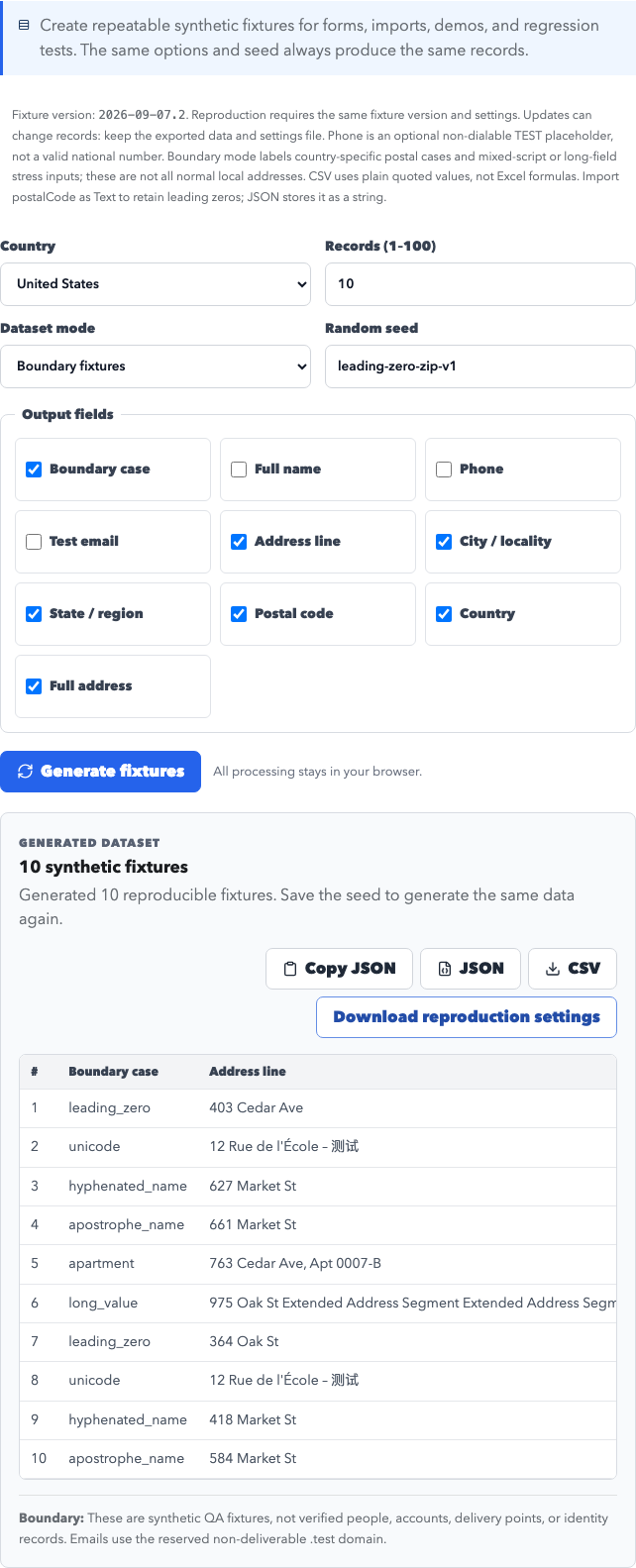
Suppose a checkout import removes the leading zero from a US ZIP Code. Generate 10 US records in boundary mode with the fields street, city, region, and postalCode, using seed leading-zero-zip-v1. Export both CSV and JSON.
- Import the CSV into the staging system.
- Confirm the postal-code column is treated as text.
- Compare the imported rows with the JSON export.
- Attach the seed and configuration—not a private customer record—to the defect.
- Run the same fixture after the fix and in CI.
The expected result is stable records across repeated runs with identical settings. Changing the seed should produce a different, but still deterministic, set.
What must be captured in a bug report
| Setting | Example | Why it matters |
|---|---|---|
| Country | United States | Selects field and postal conventions |
| Mode | Boundary | Includes difficult lengths and characters |
| Fields | street, city, region, postalCode | Defines the exported schema |
| Rows | 10 | Changes the deterministic sequence |
| Seed | leading-zero-zip-v1 | Replays the same sequence |
Four assertions worth automating
- Two runs with identical settings and tool version have byte-equivalent JSON output.
- A changed seed changes at least one generated record.
- CSV preserves Unicode, quoting, commas, and leading-zero postal codes in the file; import postal columns as text to prevent spreadsheet number conversion.
- No generated email leaves the reserved
.testnamespace.
A fixed seed controls generation; it does not verify that a street exists or that mail can be delivered.
Privacy and safe-use boundary
AddressLab creates synthetic fixtures locally in the browser and does not require production records. Do not place names, email addresses, access tokens, order IDs, or customer data in a seed. Do not use generated records for delivery, identity verification, KYC, payment activity, or account creation.
Reproducible tool walkthroughs
These examples run synthetic inputs through the current tool rules. They are not customer studies, real orders, or delivery checks. 2026-09-07.2
1. Replay a leading-zero postcode fixture
Open the Test Data Generator. Choose US, 10 rows, Boundary fixtures, and seed leading-zero-zip-v1. Select fields in the order below and generate twice. Open tool
{
  "version": "2026-09-07.2",
  "countryCode": "US",
  "count": 10,
  "fields": [
    "case",
    "street",
    "city",
    "region",
    "postalCode",
    "country",
    "fullAddress"
  ],
  "mode": "boundary",
  "seed": "leading-zero-zip-v1"
}
Actual first record:
{
  "case": "leading_zero",
  "street": "403 Cedar Ave",
  "city": "Boston",
  "region": "MA",
  "postalCode": "02108",
  "country": "United States",
  "fullAddress": "403 Cedar Ave, Boston, MA 02108, United States"
}
Repeated execution with identical settings produces identical JSON. Numeric conversion demonstrates the failure: 02108 → 2108. CSV retains the literal string, but spreadsheets can infer a numeric type; import the postal column as Text. This is a numeric-conversion demonstration, not a claim to have tested a particular spreadsheet release.
2. Optional German state and an invalid postcode
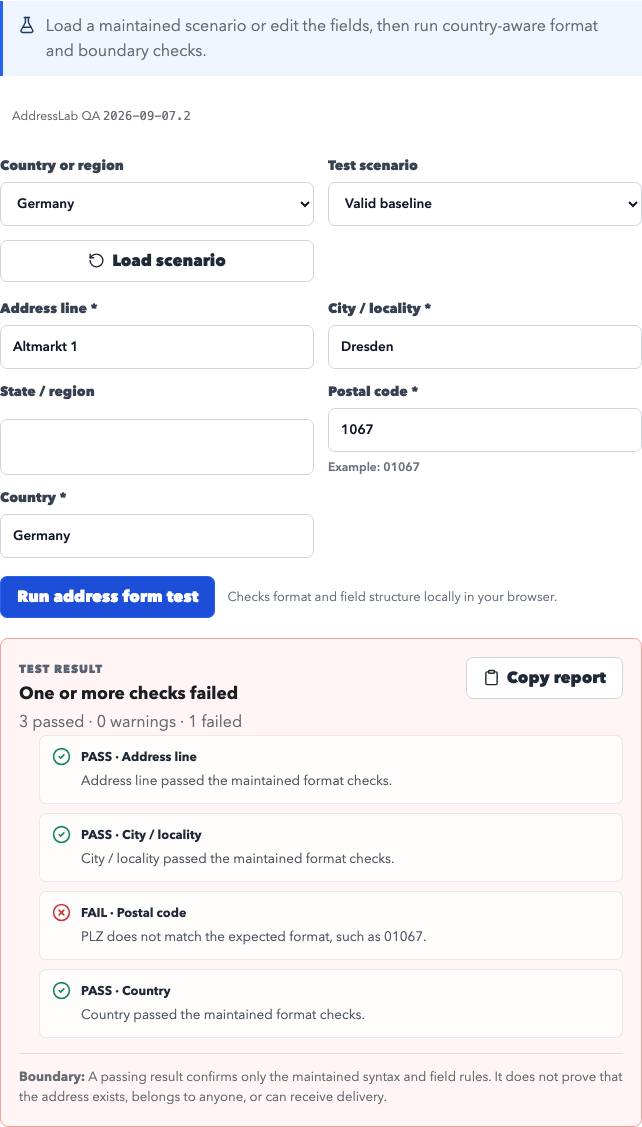
Select Germany in the Form Tester, enter these fields, and leave State empty. Run once, change 01067 to 1067, and run again. Open tool
{
  "street": "Altmarkt 1",
  "city": "Dresden",
  "region": "",
  "postalCode": "01067",
  "country": "Germany"
}
Actual results: {"passed":4,"warnings":0,"failed":0} → {"passed":3,"warnings":0,"failed":1}. The second run fails the postal format check; the empty state does not fail. Passing means only a match with maintained rules.
3. Structured parsing and uncertain input
Leave country detection on automatic, paste this text, and select Parse address. Open tool
Altmarkt 1
01067 Dresden
Germany
Actual mailing-label output:
Altmarkt 1
01067 Dresden
Germany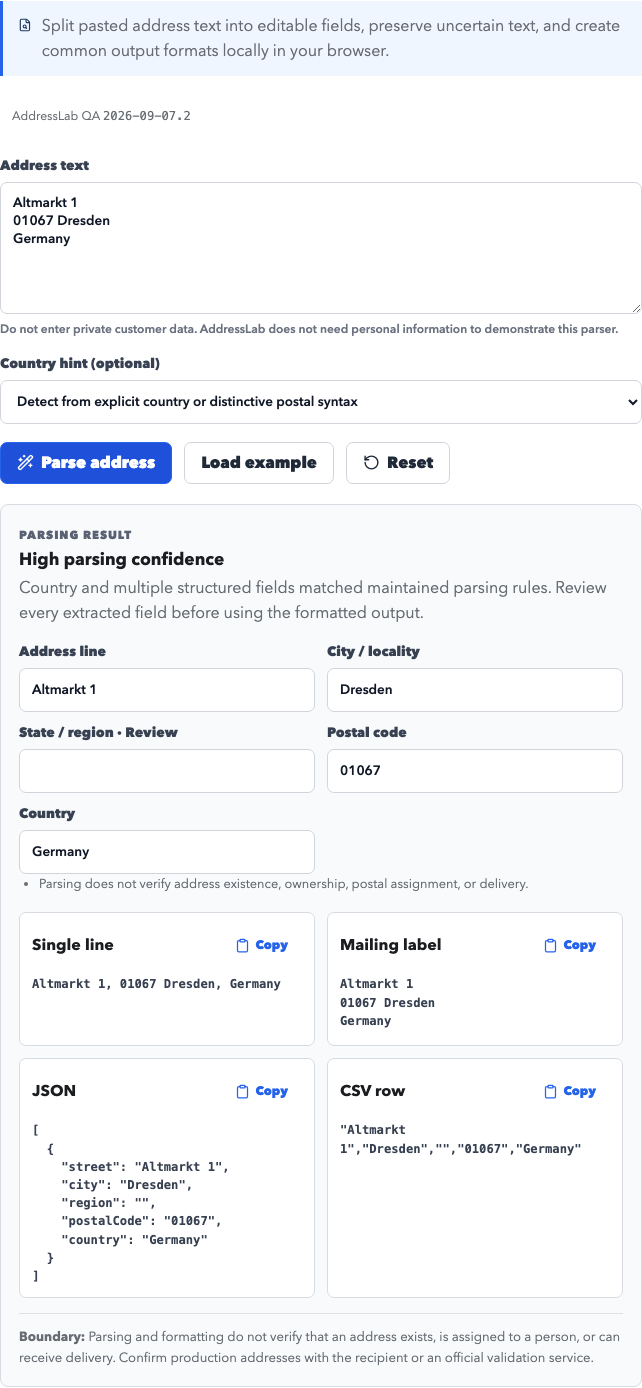
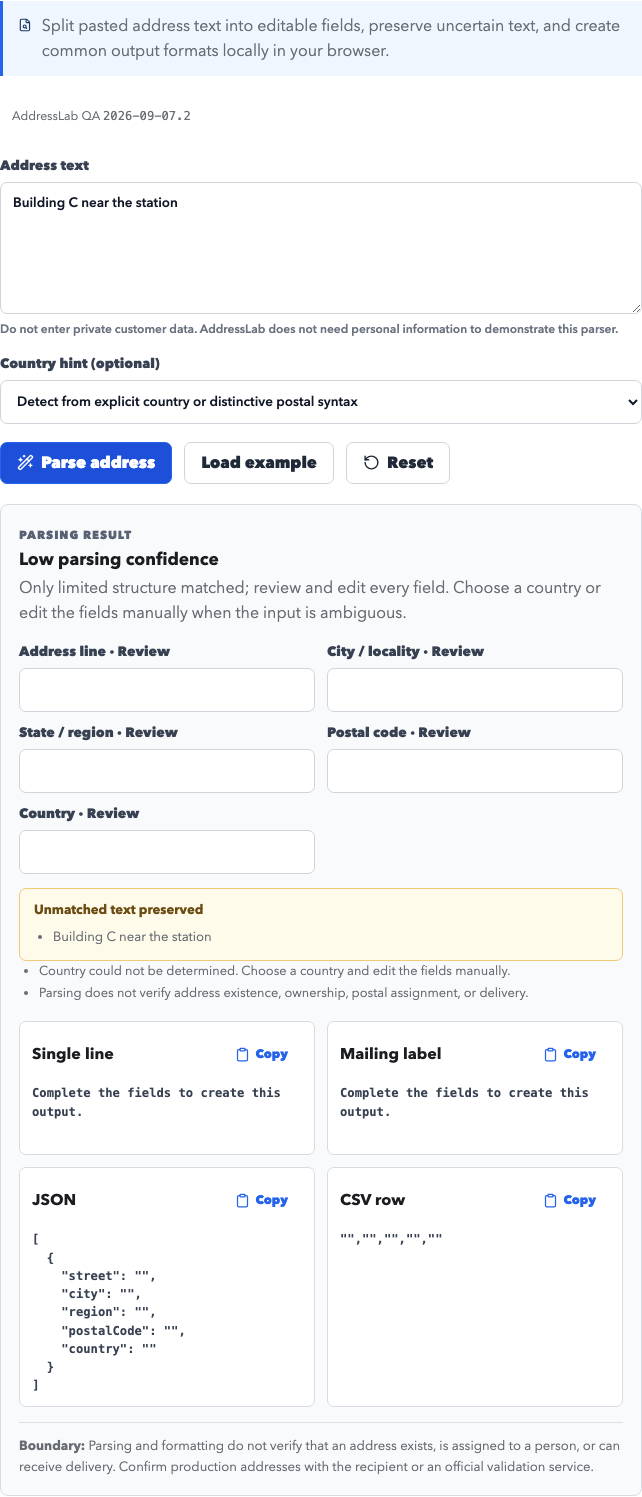
Then enter Building C near the station. Actual confidence is low. The parser preserves uncertain text. Supply the country and fields manually; parsing confidence does not establish address existence.
Download this version's examples and full inputs/results: CSV · JSON · Settings · Full results
Release notes: this version corrects German address order, country-specific postal boundaries, optional UK/German region fields, and Japanese postal normalization. CSV no longer writes formulas. An old seed can produce different data after an update; retain your exported files.
Rule references: Deutsche Post addressing FAQ · Royal Mail: optional county information · Data and editorial standards
Continue the test
Copy the address fields manually into the International Address Form Tester; it does not import CSV files or inspect third-party checkout pages. Check individual postal values with the Postal Code Format Checker, and consult the international field-format matrix before adding another country.